“How much should I spend on Google Ads?” It’s the first question almost every business asks us. It’s a fair question, and the honest answer isn’t a number. It’s a method.
A budget picked out of the air is either too small to work or bigger than it needs to be. A budget built from how many people are actually searching for what you do, with the assumptions written down, is one you can understand, question and adjust.
In short
- Start from search demand: how many people look for each service you offer.
- Write the assumptions down: cost per click and how many clicks become enquiries.
- Choose from options, not one number.
- Search isn’t always the answer. Check where your competitors aren’t.
- Good ads need good material: photos, video and a clear offer.
The businesses: two Christchurch starting points
This article draws on planning we did for two Christchurch businesses starting digital advertising from scratch: a trades business offering several services, and an events and hospitality business.
Both asked the same question. The method answered it differently for each.
Step 1: start from search demand, service by service
For the trades business, we started with Google Ads Keyword Planner. For each service it offered, we looked at how many people in Christchurch search for it each month, and roughly what advertisers pay per click.
That immediately showed something a single budget figure would hide: demand isn’t spread evenly. A couple of everyday services had most of the searches. Specialist services had far fewer, but each enquiry could be worth more.
So instead of one budget, each service got its own share, based on its demand.
Example: a Christchurch plumbing business
| Service | Monthly searches (example) | Cost per click (example) | Share of the budget | Why |
|---|---|---|---|---|
| Emergency plumber | 1,000 | $6–$9 | 40% | Urgent and high intent: people call straight away |
| Blocked drains | 600 | $4–$7 | 25% | Steady demand all year round |
| Hot water cylinder replacement | 300 | $5–$8 | 20% | Fewer searches, but bigger jobs |
| Gas fitting | 150 | $4–$6 | 10% | Specialist, with less competition |
| Bathroom renovation plumbing | 100 | $3–$6 | 5%, or start later | Test once the main services are running |
Emergency work gets the biggest share because that’s where most of the searching happens, and those searchers are ready to book. Hot water cylinders get more than their search numbers suggest because each job is worth more. Bathroom work waits until the core services are running well.
Illustrative numbers for a fictional plumbing business, not real Keyword Planner data. Your own figures come from Keyword Planner for your services and area.
Step 2: write the assumptions down
Every Google Ads budget rests on a few assumptions. We put them on the table, so the business can see how the number was built, and question it.
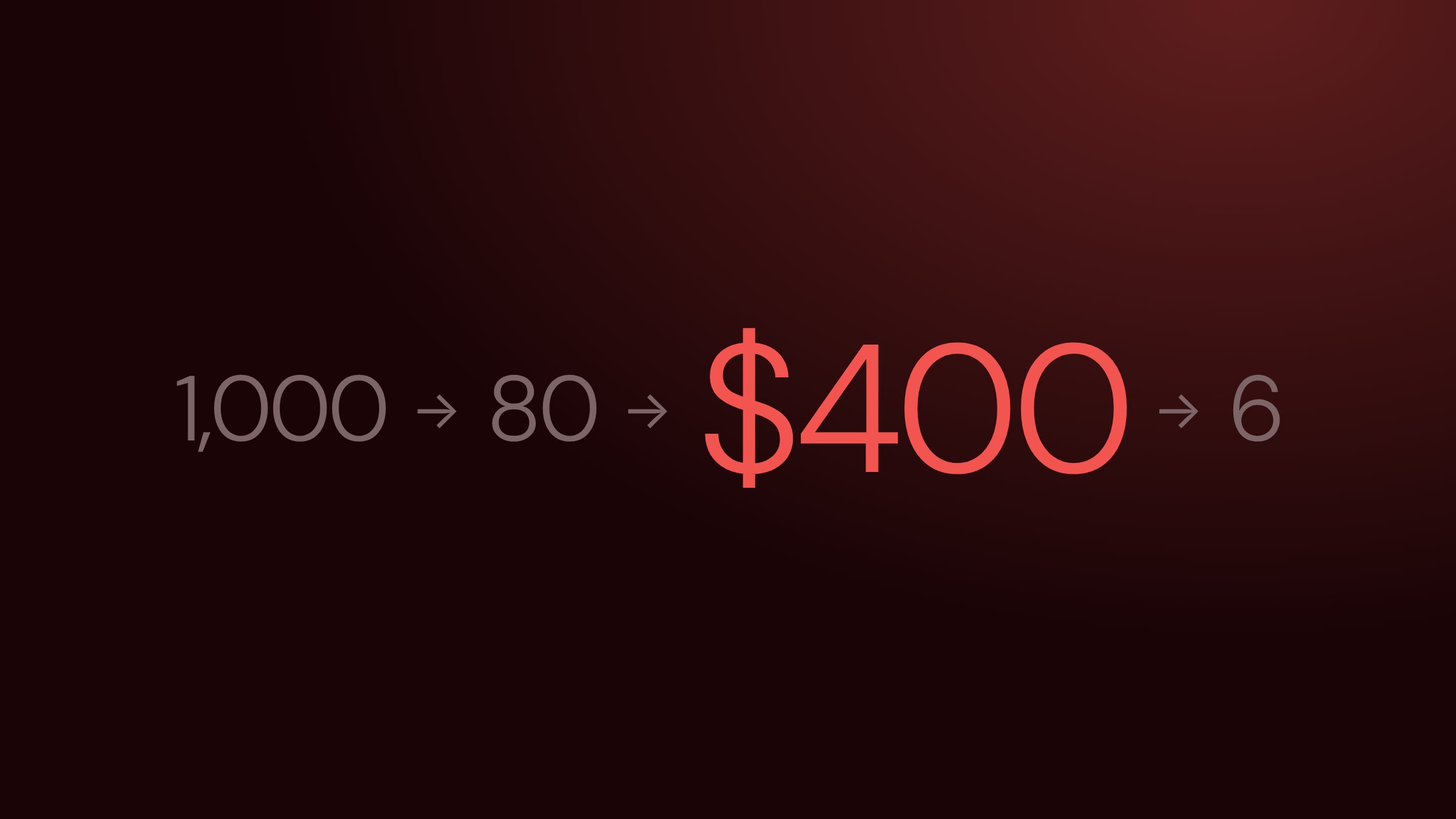
The chain is simple: people search, some click your ad, you pay for each click, and some of those clicks become enquiries. Change any link in the chain and the budget changes.
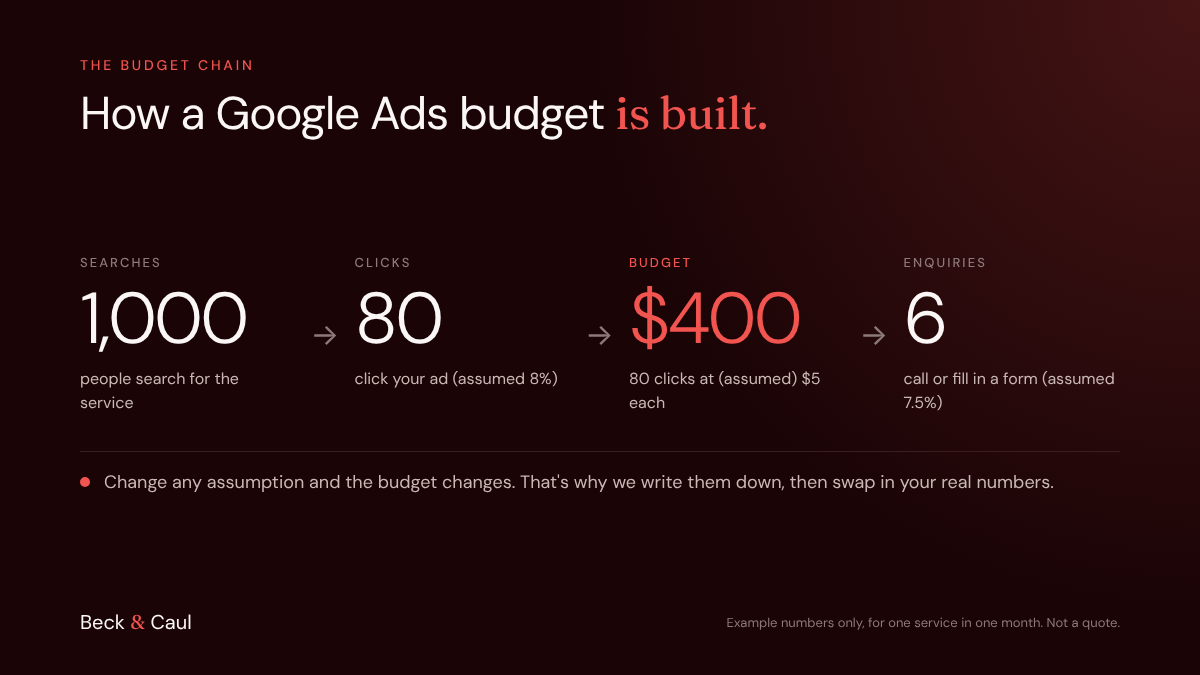
The two assumptions that matter most:
- Cost per click. What you pay each time someone clicks. Keyword Planner gives a range for each search term.
- Enquiry rate. How many clicks turn into a call or form. This depends heavily on your website (see Getting website visitors but no enquiries?).
These are estimates, not promises. That’s exactly why we write them down: after the first couple of months, we replace them with your real numbers and adjust.
Step 3: options, not one number
Rather than hand over a single figure, we usually give three options to choose from. Each one covers more services, more of the day or a wider area. The business decides how much it wants to commit, knowing what each level buys.
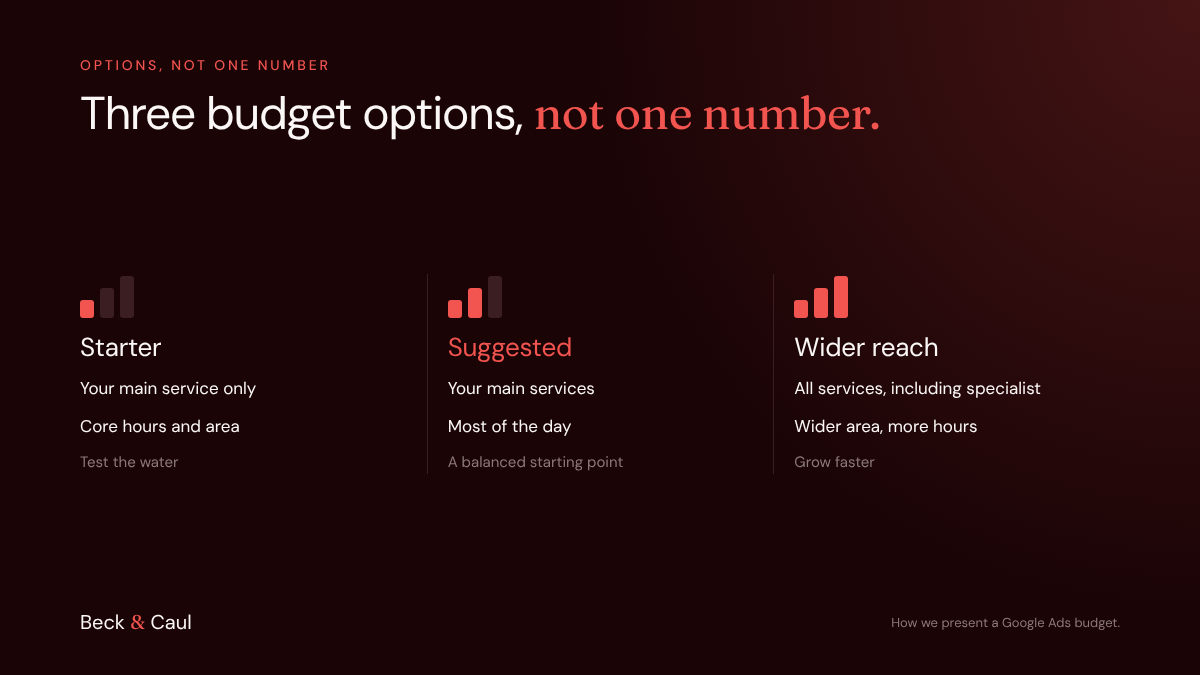
This also makes the first conversation easier, and it works in either direction:
- Start small and step up. Begin with the starter option, see how the numbers behave, and increase once you’re confident.
- Start big and scale back. If you want results sooner, or a busy season is coming, begin with the wider-reach option. You gather useful data faster, then keep the services and areas that perform and trim the rest.
Step 4: is Google Search always the right place?
Not always. For the events and hospitality business, we looked at what competitors were already doing on Google and on Meta (Facebook and Instagram).
The picture was clear. On Google, several competitors were already bidding on the main searches, which pushes up the cost of each click. On Meta, local competitors were running very few ads. The quieter channel was the better opportunity.
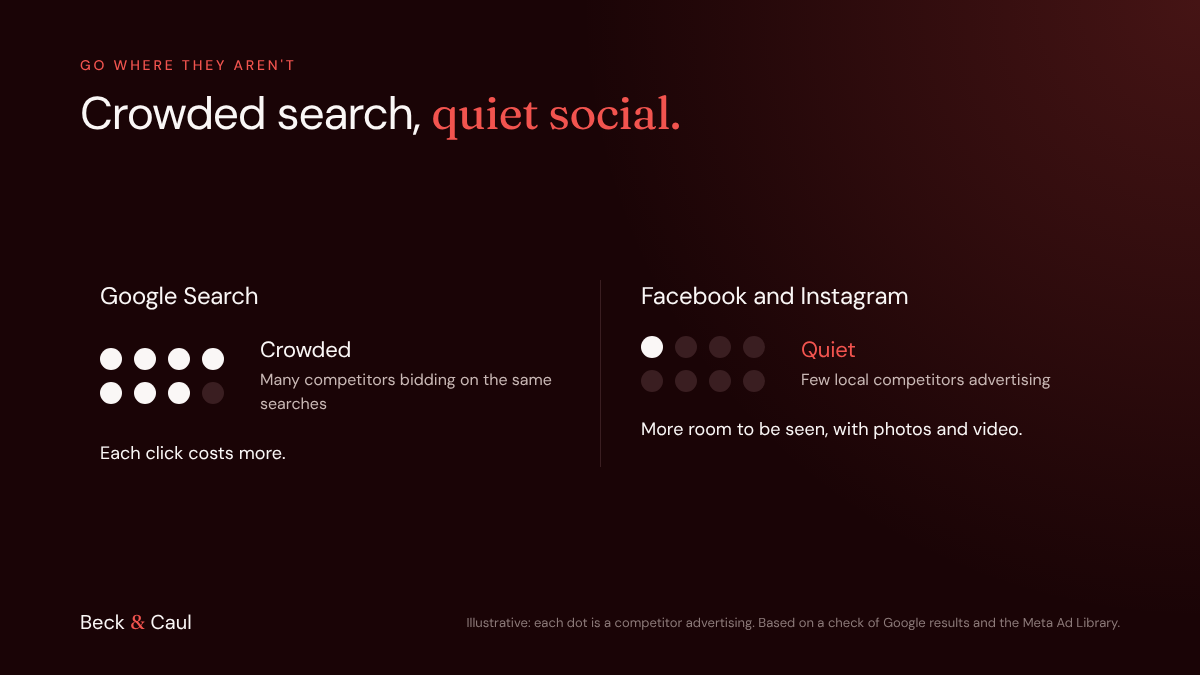
That also suited the business. People don’t usually search for an events venue until they’re already planning. Social media ads can reach them earlier, with photos and video that show the experience, which is something a text search ad can’t do.
How to check this yourself: search your main service on Google and note who’s advertising. Then look your competitors up in the Meta Ad Library, which shows every ad a business is running on Facebook and Instagram. It’s free and public.
Step 5: what you need to bring
A budget only works if the ads have something good to show. We’re upfront about what we need from the business, because no amount of spend makes up for weak material.
| What you bring | Why it matters |
|---|---|
| Real photos and short videos | Especially for social media ads, the picture does most of the selling |
| A clear offer | A reason to act now, such as a free quote, a site visit or an open day |
| A page that matches the ad | People who click should land on the service they searched for, not the homepage |
| A way to handle enquiries quickly | A fast reply often wins the job |
| Patience for the first couple of months | The early data is what turns estimates into real numbers |
Try this before you start advertising
- List your services. Which ones do you most want more work for?
- Check roughly how many people search for each in Keyword Planner.
- Search your main service on Google. Who’s already advertising?
- Look your competitors up in the Meta Ad Library. Are they advertising on social media?
- Do you have real photos, a clear offer and a page for each service?
A budget you understand
We’re a Christchurch agency working with businesses across New Zealand, many of them starting digital advertising for the first time. We build budgets from real search demand, show you every assumption, and give you options, so you know exactly what you’re paying for and why. If you’re weighing up Google Ads, talk to us about your digital marketing.
FAQ
How much does Google Ads cost? There’s no set price. You pay each time someone clicks your ad, and the cost per click depends on your industry, your area and how many competitors are bidding. Your monthly budget is roughly the number of clicks you want multiplied by the cost per click.
How much does Google Ads cost per month for a small business? It depends on how many people search for your services and how competitive your industry is. The best way to set it is to build it from search demand for your services, then start at a level you’re comfortable with and adjust once real numbers come in.
How long until Google Ads works? Ads can bring clicks from day one, but it usually takes a couple of months of data to fine-tune targeting, keywords and bids, and to replace the starting estimates with real results.
Should I use Google Ads or Facebook ads? It depends on how your customers decide. Google Search reaches people actively looking for a service right now. Facebook and Instagram reach people before they start looking, using photos and video. Checking where your competitors are advertising is a good way to find the better opportunity.